Your website takes the booking.
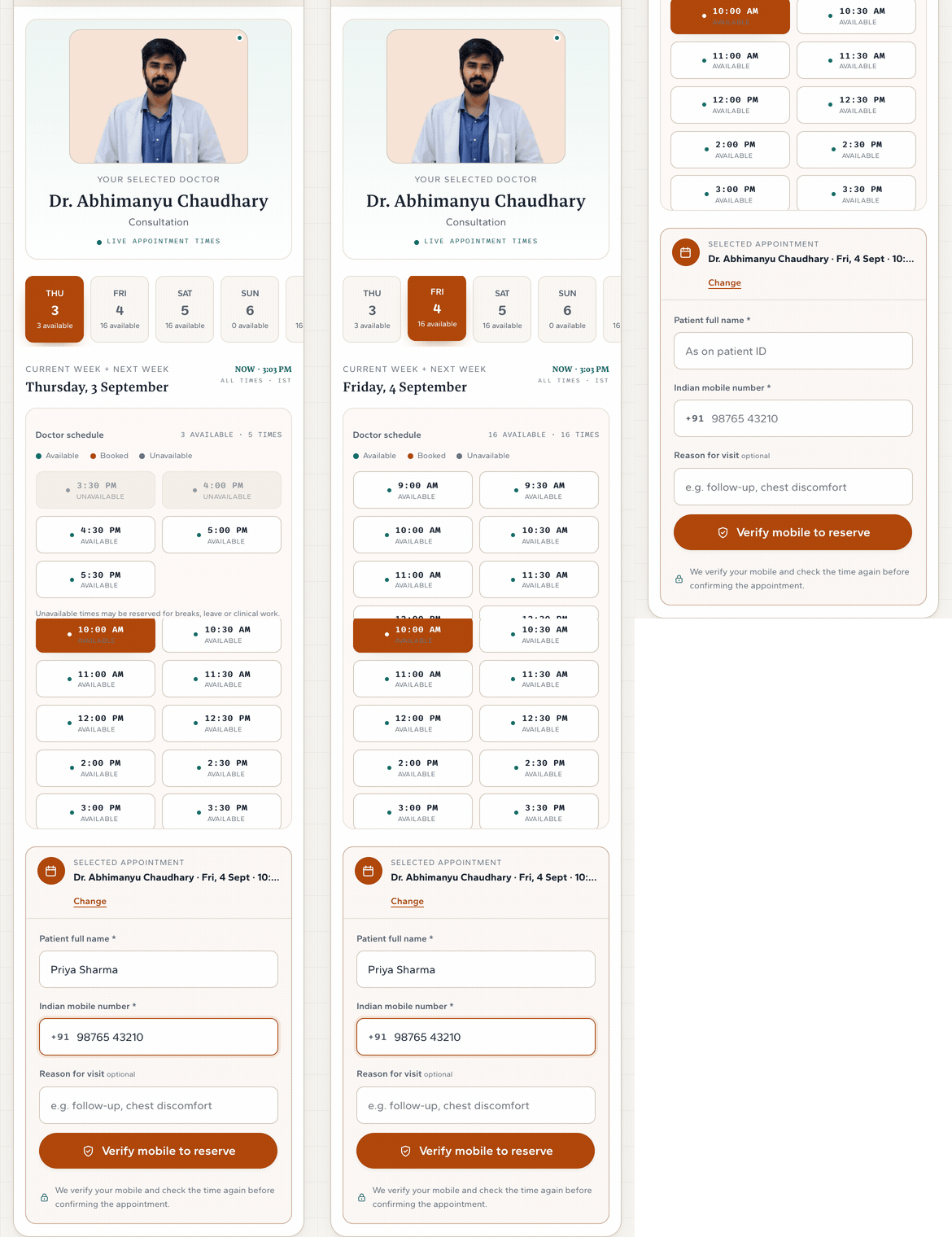
On a Ronic website the open times are on the page. Customers pick one, leave a name and a phone, done.
Half of bookings come after close.
It is 9pm. A patient wants a slot. Your site shows a phone number, and the office opens at 8. That booking waits till morning.
A phone number means they call back in the morning. The page takes the booking now.
A phone number. No password, no app.
- 01Pick a day.
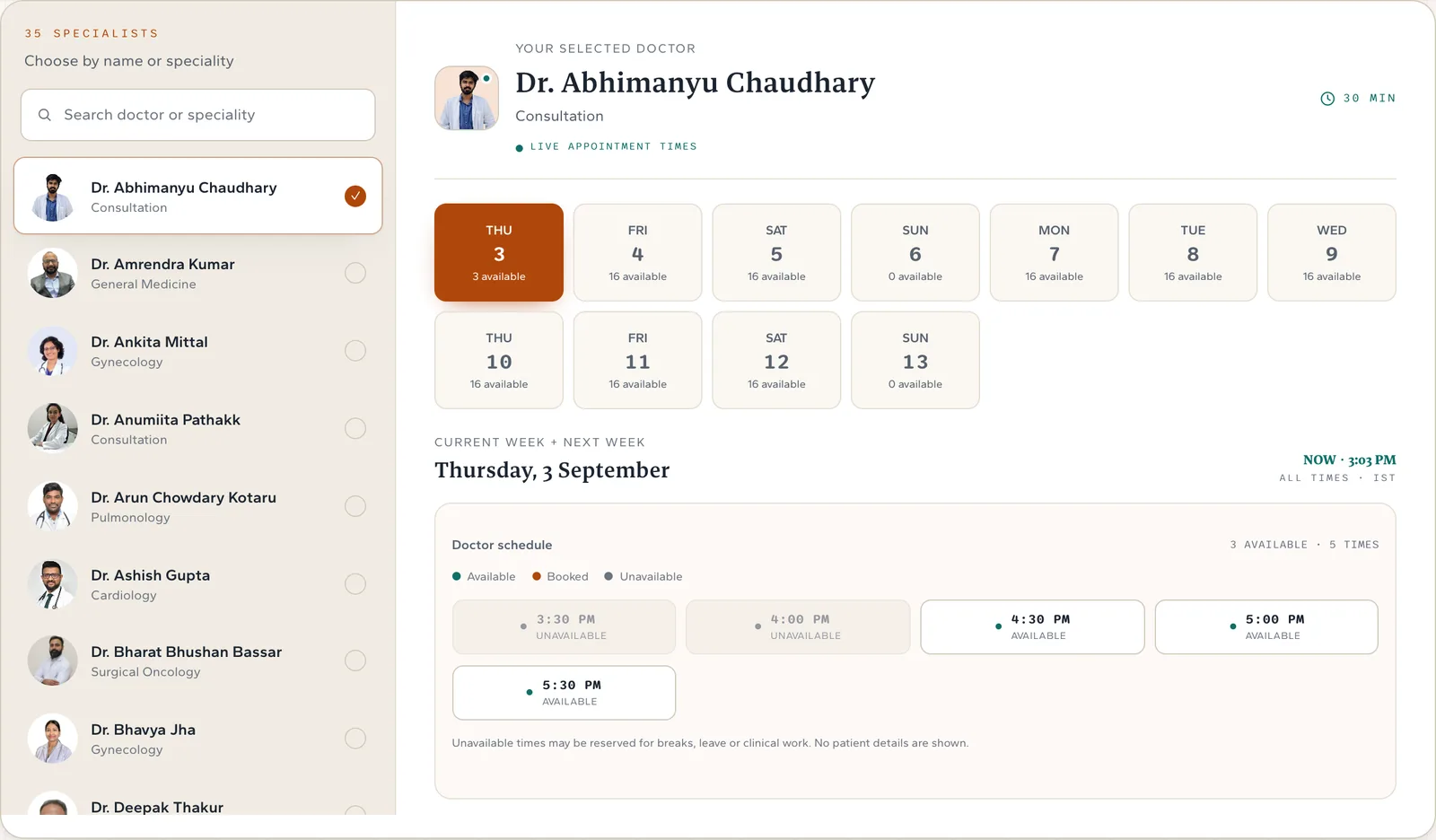
The page shows this week and next. Each day says how many times are open.
- 02Pick a time.
Booked and blocked times show as taken, with no names.
- 03Name and phone.
A code comes to their phone. They type it in.
- 04Booked.
They get a confirmation with an appointment number, and a reminder the day before.
Two people tap the same 3pm.
One gets it. The other sees the next open times. The lock is in the calendar, not on their phone.
You set working hours, breaks, closures and holidays once. The page only shows times inside them.
Need fifteen minutes to reset the room? Set it once, and the page keeps it.
The page checks the time again the moment they book. The 2pm slot disappears at 2pm.
It lands in your calendar the same second.
See it by day, week or month. Walk-ins go in from the desk. Block an hour for lunch and the page stops offering it.
It books a doctor, a stylist or a groomer.
It is $5 a month.
Appointments comes with a Ronic website, which is $10 a month.
Do customers need an account?
No. A phone number and a one-time code. Nothing to install.
Can they cancel?
Yes, from your site, with the same phone number. You set the cutoff. Six hours before is the minimum.
More than one doctor or stylist?
Yes. The customer picks the person first, then the time. Each person has their own hours.
Can the desk still book by phone?
Yes. The desk books into the same calendar, and the page stops offering that time.
What do I do when someone books?
Open your calendar. It is there, and the customer has the confirmation.